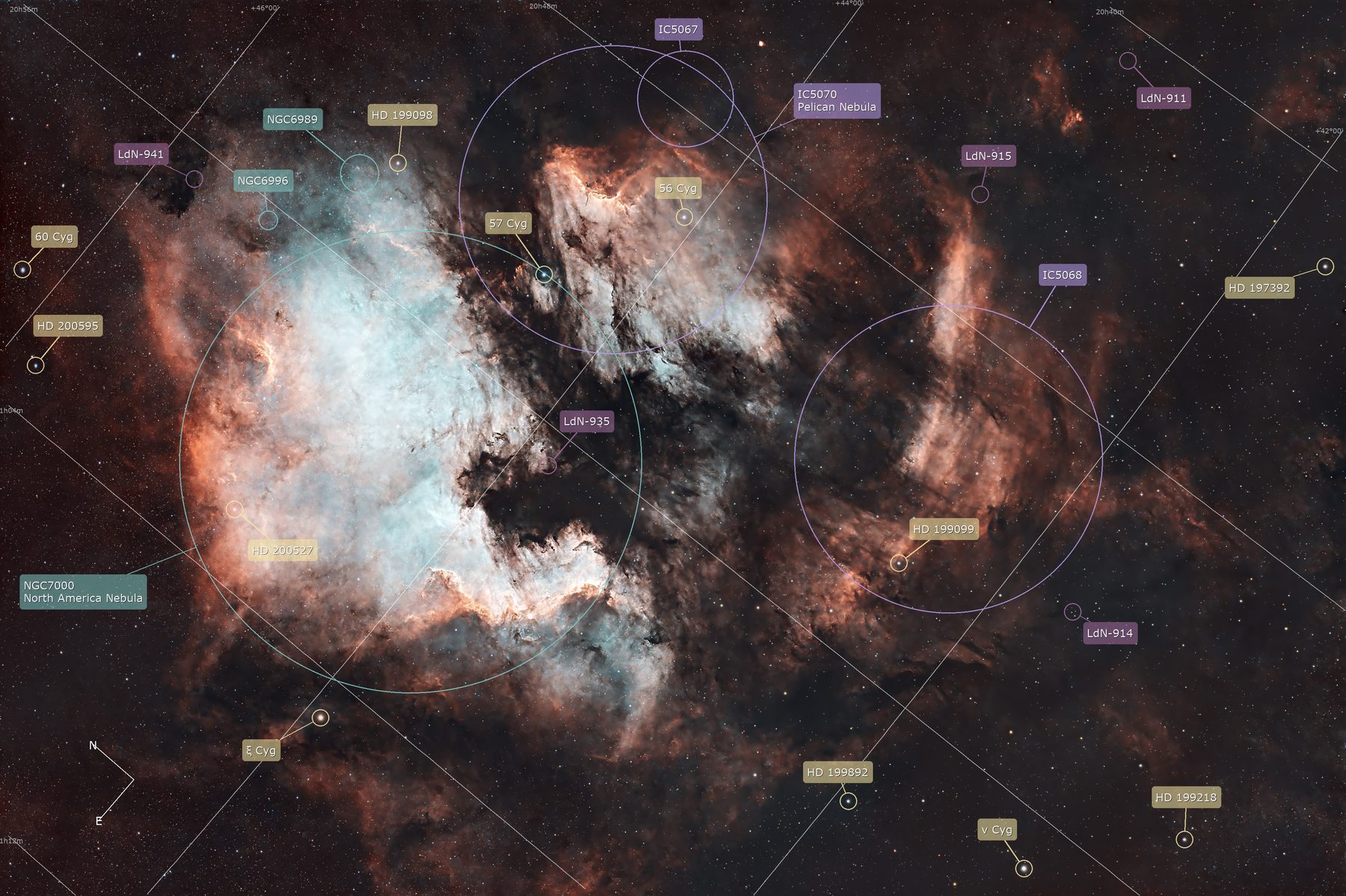
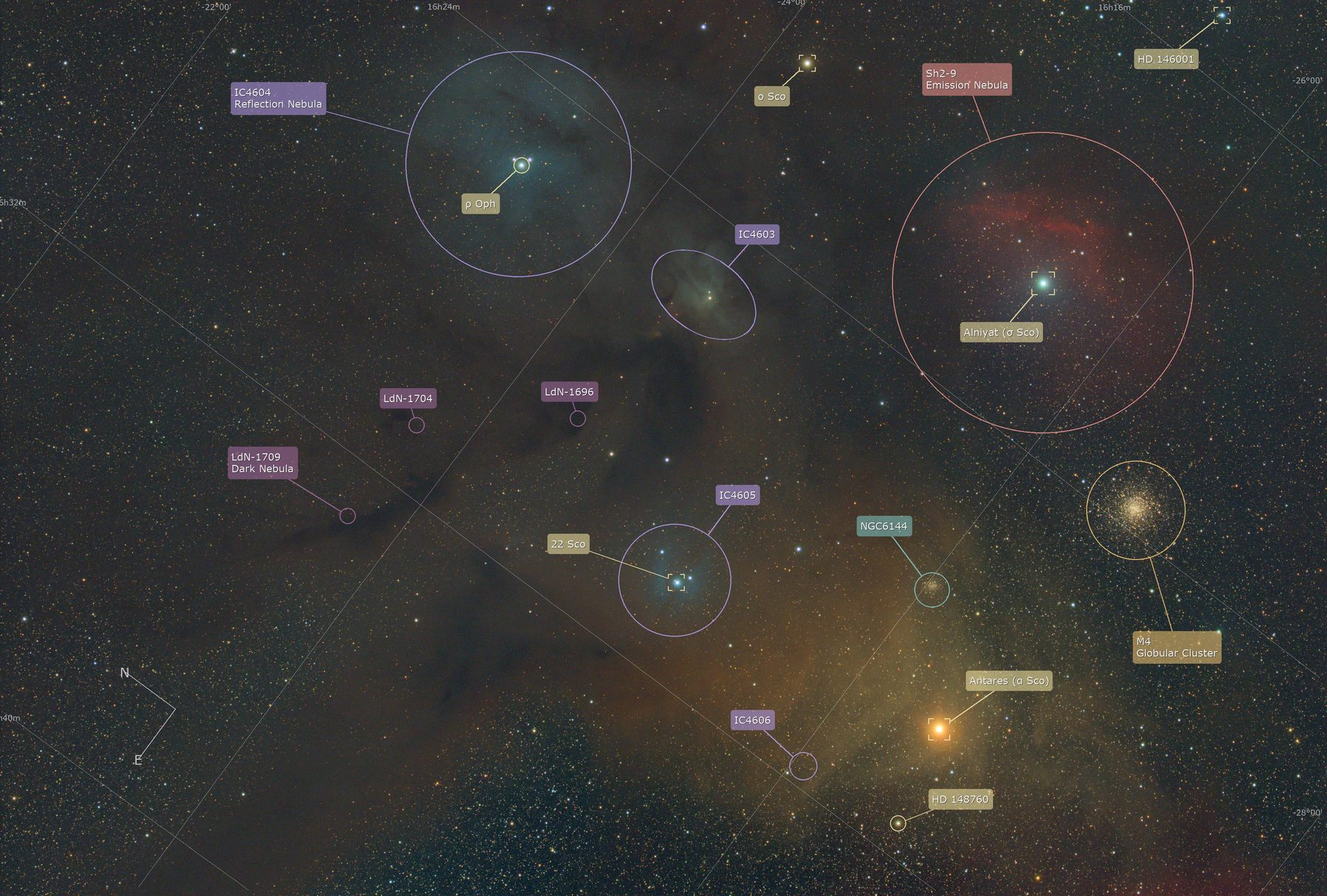
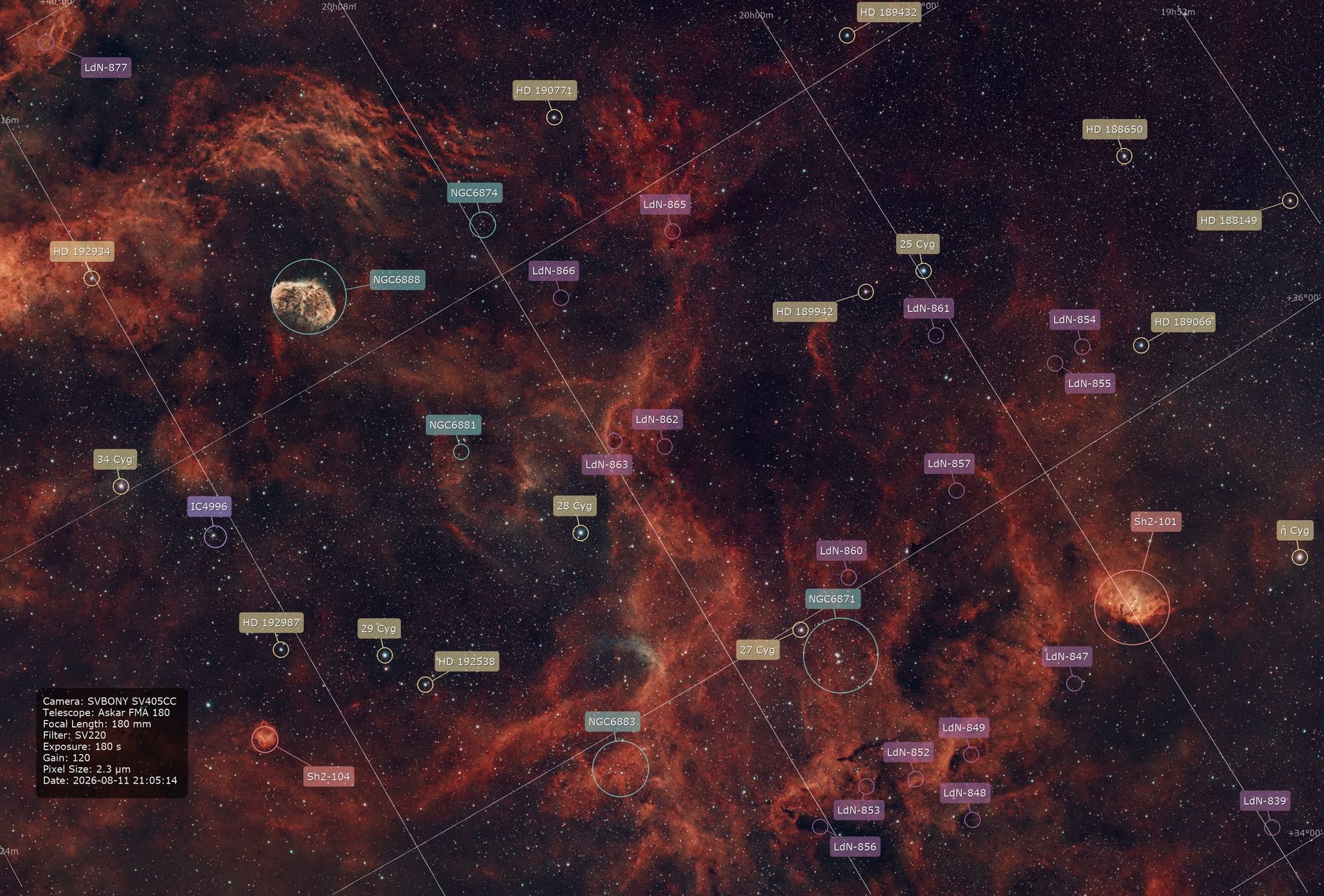
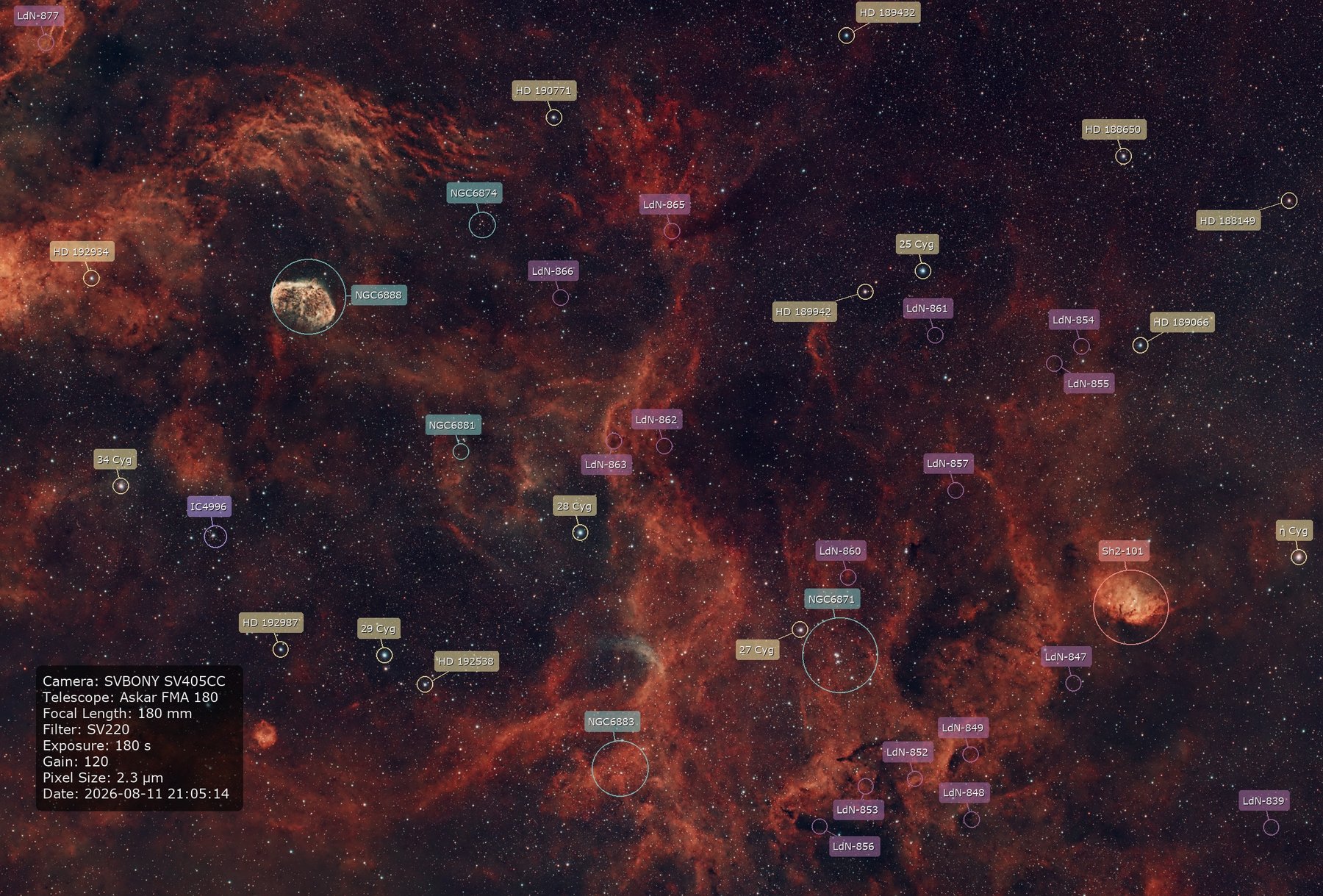
DG Modern Annotator reads your Siril plate-solve and turns it into a fully labeled, presentation-ready image — draggable markers and labels, real typography control, coordinate overlays, and full-resolution export. No detour through another editor required.
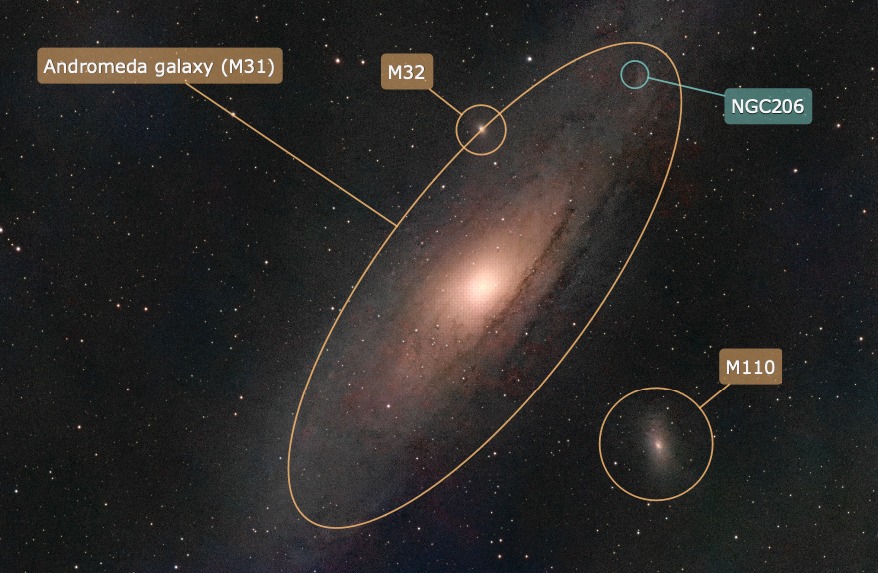
Siril can already tell you that a frame contains M31, NGC 206, and M110 — but that information lives in a dialog, not in the image you actually want to share. Getting from “plate-solved” to “labeled and ready to post” usually means exporting into another editor and placing text boxes by hand, one image at a time, starting over every session.
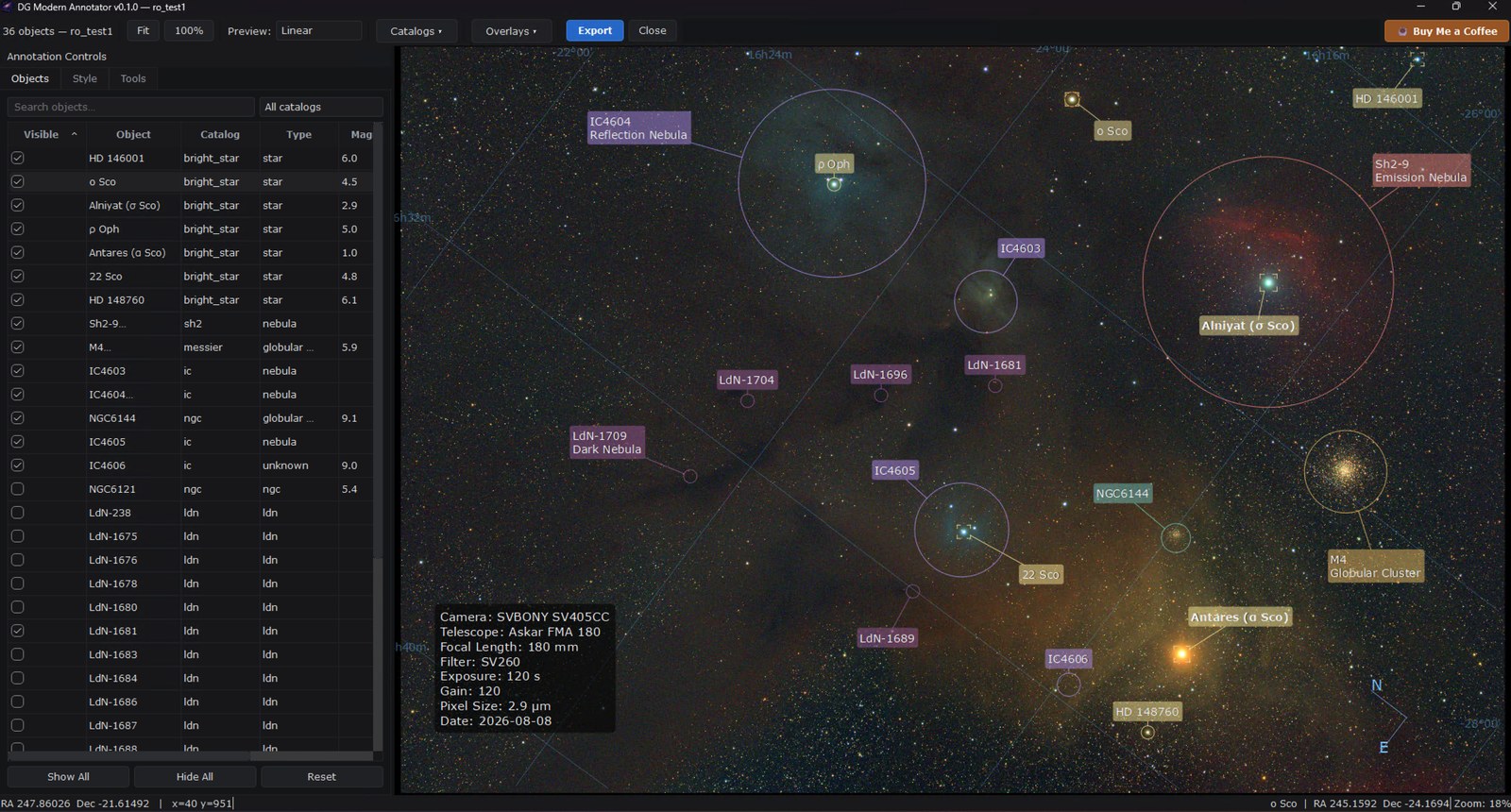
DG Modern Annotator skips that detour. It runs from Siril’s own Scripts menu, reads the same WCS solution Siril already computed, and gives you a real interactive canvas — drag labels where you want them, style markers per catalog, add a coordinate grid or compass, and export at full resolution. Set your style once; every image after starts from where you left off.
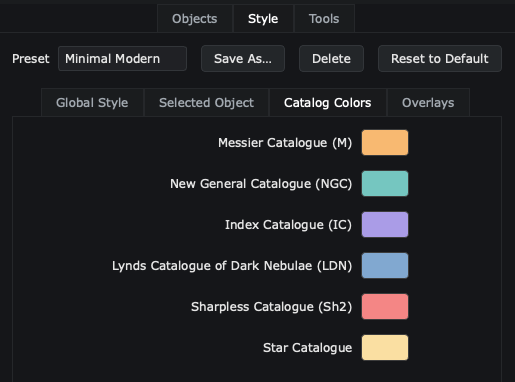
Each marker color below is the same one you’ll see on your own image — the app assigns a color per catalog, and this page borrows it.
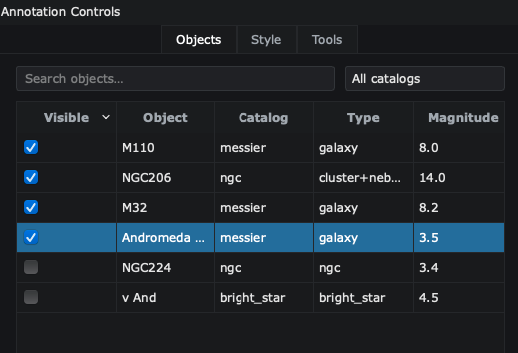
Every catalog object in frame, found automatically across 17 supported catalogs — VizieR online, Siril’s own bundled catalogs offline. See the full list.
Markers and labels move independently. Auto Arrange keeps new labels out of each other’s way; Reset Position undoes a single drag without touching the rest.
Circles for point sources, brackets for clusters, and a rotatable ellipse for galaxies that were never round to begin with.
Per-catalog colors, typography, and marker style save as a preset and carry into your next image — nothing to re-decide session to session.
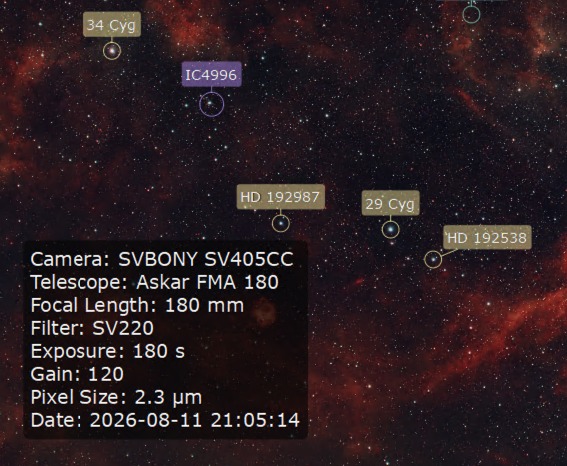
An RA/Dec coordinate grid, a compass, and a technical-details panel pulled straight from the FITS header — all optional, all draggable, off by default.
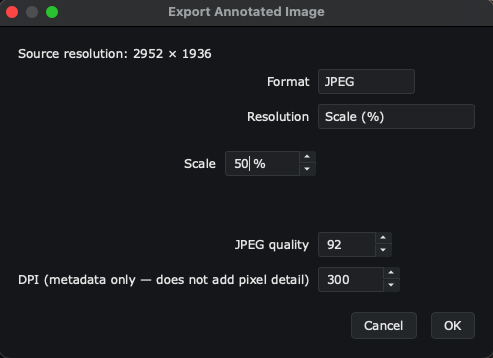
JPEG, PNG, 8-bit or 16-bit TIFF, at the image’s true native resolution — independent of whatever you’re previewing on screen.
Seven fetch automatically the moment your image loads; the rest are one click away in the Catalogs menu — toggle whichever ones matter for your field.
The 110 bright deep-sky objects Charles Messier catalogued in the 1770s–80s — still the most-imaged list in astronomy.
New General Catalogue — roughly 7,800 galaxies, clusters, and nebulae, compiled by Dreyer in 1888.
Index Catalogue — Dreyer’s two supplements to the NGC, adding roughly 5,300 objects missed the first time.
313 Hα emission nebulae from Stewart Sharpless’s 1959 survey — most of what glows red in a narrowband image.
Lynds’ Catalogue of Dark Nebulae — over 1,800 dust clouds silhouetted against the Milky Way.
E.E. Barnard’s 1919 dark-nebula list — 349 objects of the same kind as LDN, from an earlier photographic survey.
Lynds’ Catalogue of Bright Nebulae — over 1,100 diffuse nebulae, the bright counterpart to her own LDN list.
Rodgers, Campbell & Whiteoak’s 1960 survey of Hα emission regions across the southern Milky Way.
van den Bergh’s catalogue of reflection nebulae, positioned by the star that lights each one.
Colin Gum’s 1955 survey of southern HII regions, including the Gum Nebula itself.
Green’s Catalogue of Galactic Supernova Remnants — the expanding wreckage of exploded stars.
Abell’s 1966 planetary-nebula catalogue — not to be confused with his far more famous galaxy-cluster catalogue of the same name.
Arp’s Atlas of Peculiar Galaxies — 338 galaxies picked out for looking distorted, interacting, or otherwise unusual.
Hickson’s Compact Groups of Galaxies — tightly bound clusters like Stephan’s Quintet.
Bright naked-eye stars, merging Siril’s own bundled list with the Yale Bright Star Catalogue.
The Galactic Wolf-Rayet stars — rare, massive stars shedding their outer layers, often the ionizing source at the heart of a nebula.
Whatever you’ve already searched and applied through Siril’s own Astrometry ▸ Annotate ▸ Search Object dialog, shown here too.
Everything above is found automatically within your image’s field of view. A VizieR tag means that catalog is queried live and needs an internet connection — every other one also works fully offline, from Siril’s own bundled data.
Open a plate-solved image in Siril and run the script. Objects in frame appear automatically, already laid out.
Drag markers and labels by hand, or let Auto Arrange do it. Switch a marker to an ellipse for anything that isn’t round.
Turn on the coordinate grid, compass, or technical info box if you want them. Pick colors and fonts once, globally or per object.
One click, full resolution, independent of whatever preview size you were looking at — ready to post or print.
Real, unedited exports from the app — nothing here has been touched up.
All three are off by default and turn on with one click from the toolbar — each is fully draggable and stays out of your way otherwise.
Every marker, label, and overlay has its own right-click menu — none of it is announced on screen, so here’s the full list.
Add Custom Object — places a marker anywhere, with a real RA/Dec position from your plate solve. For a comet, a satellite trail, anything not in a catalog.
Identify Star — a SIMBAD lookup right at that point, filtered to stars only, for anything fainter than what Siril’s own annotator already knows. More than one nearby? Pick from the closest few.
Hide it, delete it (custom objects only), or reset it back to its catalog position — only shown once you’ve actually dragged it.
Open in SIMBAD — jumps straight to that object’s SIMBAD entry in your browser, matched by its own catalog identifier.
Reset Position snaps it back to its default corner, once you’ve dragged it somewhere else.
Jumps straight to that object’s own style tab — no need to hunt through the panel for it.
Jumps straight to its text field, ready to edit — the fastest way in when you want to tweak the camera/telescope details.
Download the script, drop it into Siril’s scripts folder, relaunch. Everything else — PyQt6, astropy, astroquery — installs itself into Siril’s own Python environment the first time you run it.
DG_Modern_Annotator.py into your Scripts folder — find the path under Preferences → Scripts.